Whitelist Static IP
Phase 3 · Static IP. You must whitelist this pod’s IP on Dhan before (or as part of) first authorize. Skipping it causes Invalid IP errors on orders.
1. Open Static IP Setting on Dhan
Stay on DhanHQ Trading APIs, then open Static IP Setting and add an IP row.
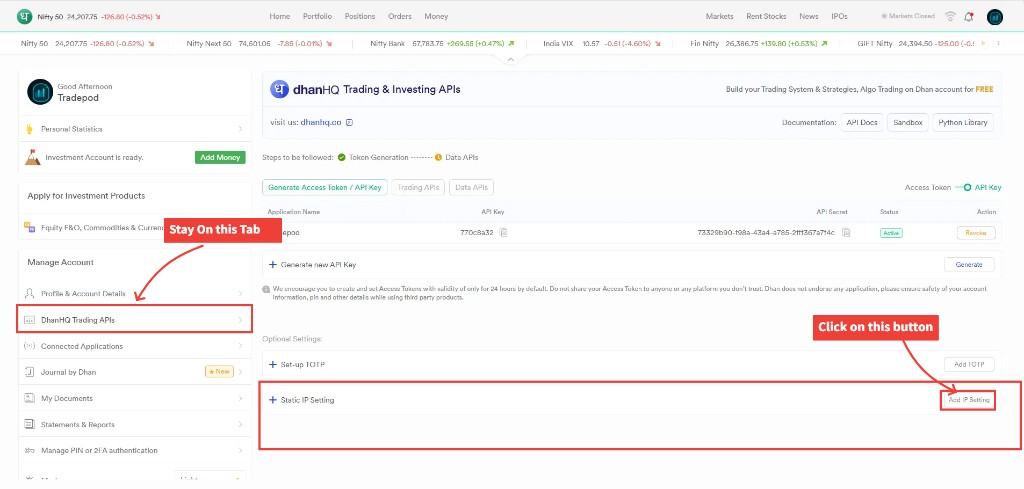
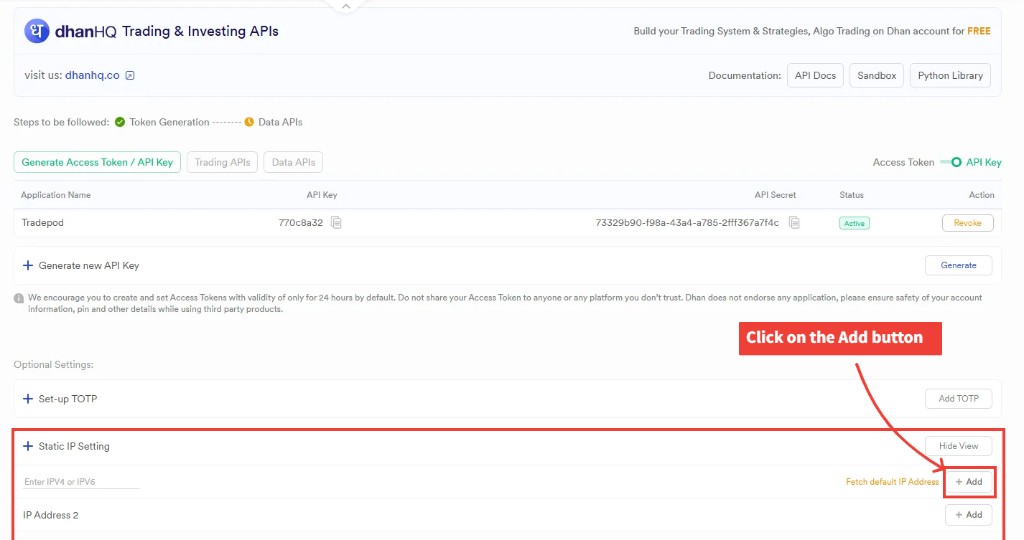
Path: Profile → Get Trading & Data APIs → + Static IP Setting
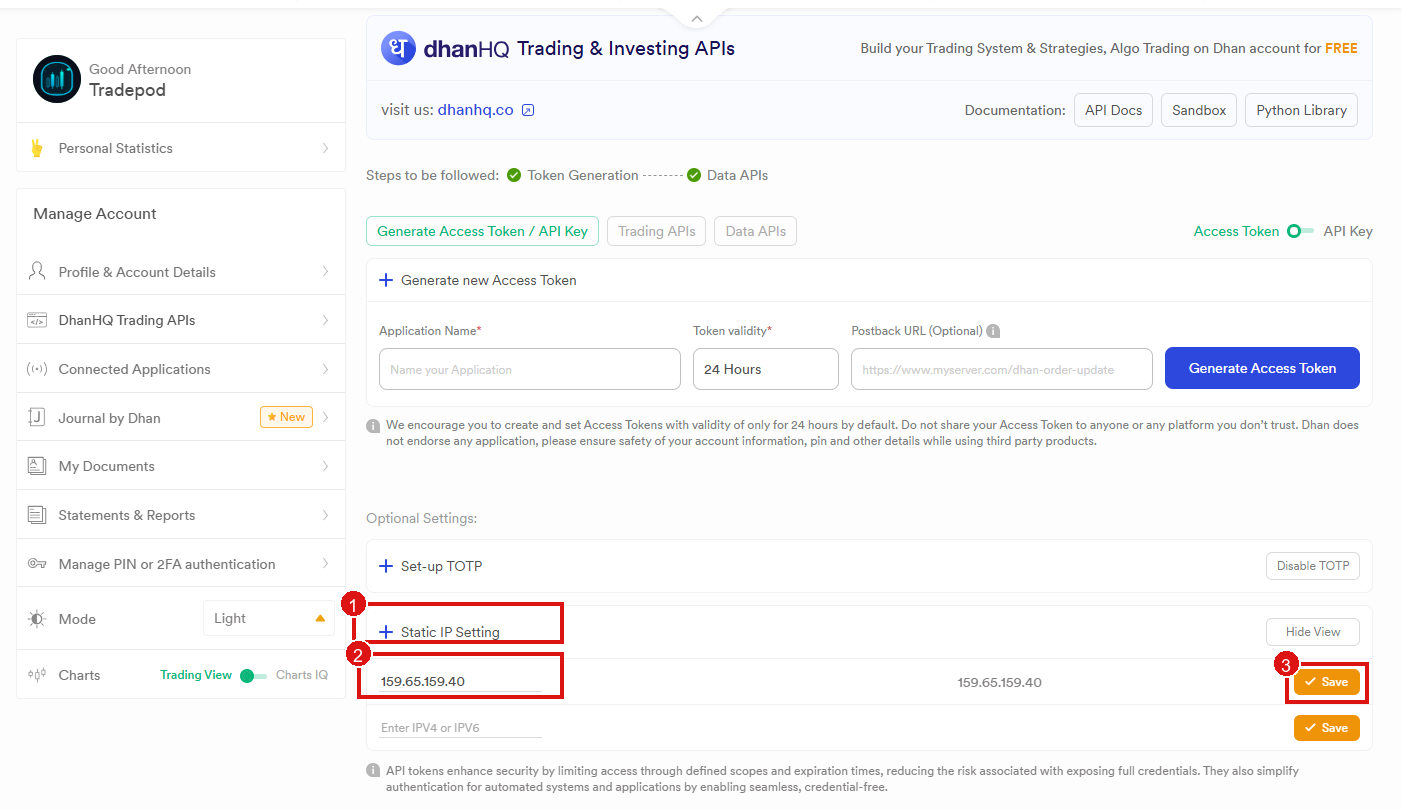
2. Copy the IP from TradePod
On Connect Dhan → Static IP step, copy the IP shown (use Refresh if it still says assigning).
3. Paste and Save on Dhan
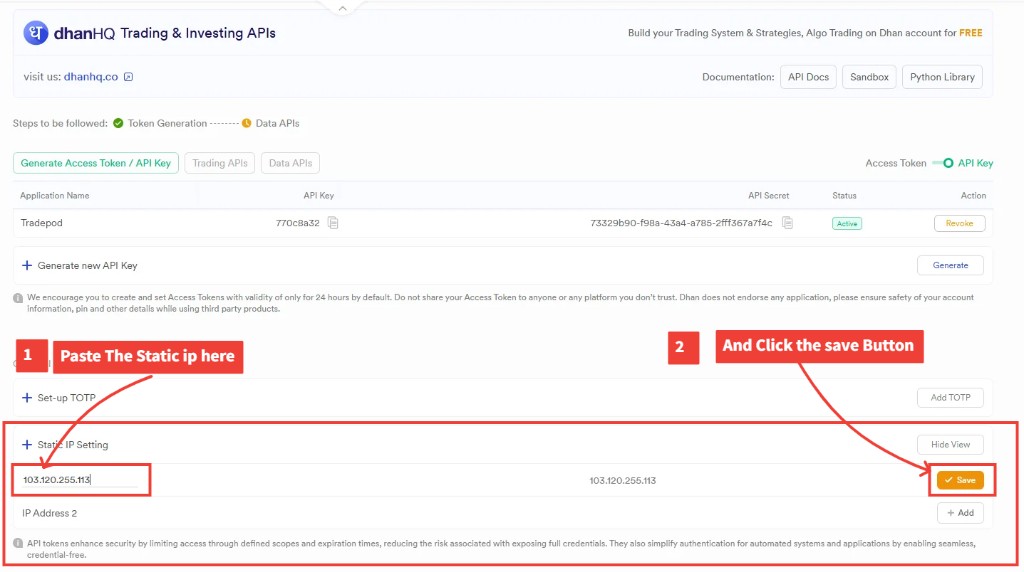
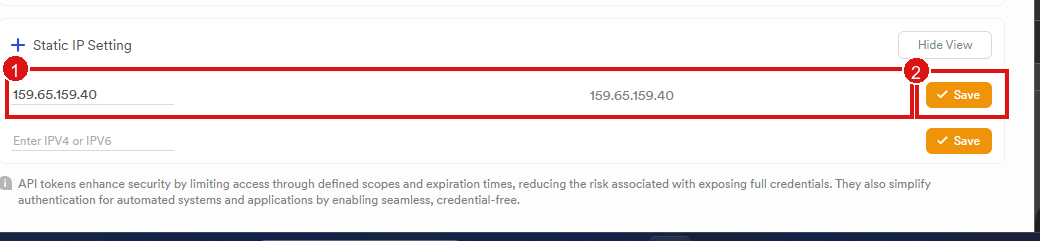
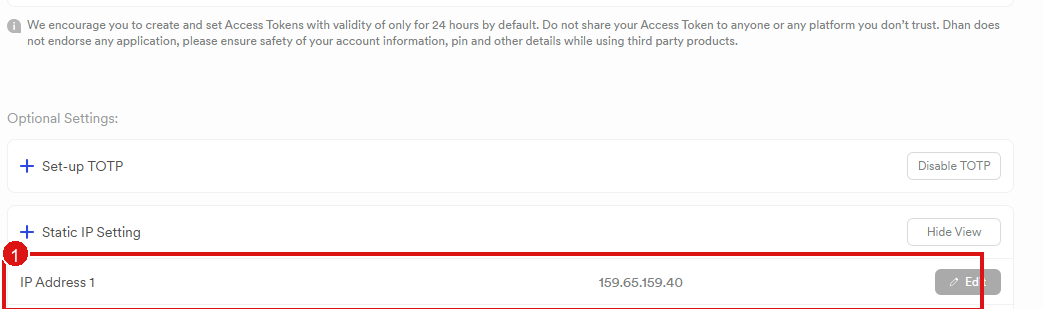
:::caution Your IP is unique The IP in screenshots is an example. Always use the IP shown in your Connect Dhan screen. :::
If Connect Dhan offers Set automatically, you can use that after a session is authorized. On first setup, paste and save manually, then continue to authorize.
Next: Log in on Dhan