Open Trading APIs
Phase 2 · API Keys starts here.
On Dhan:
- Click your profile icon (top right).
- Open Get Trading & Data APIs (or DhanHQ Trading APIs).
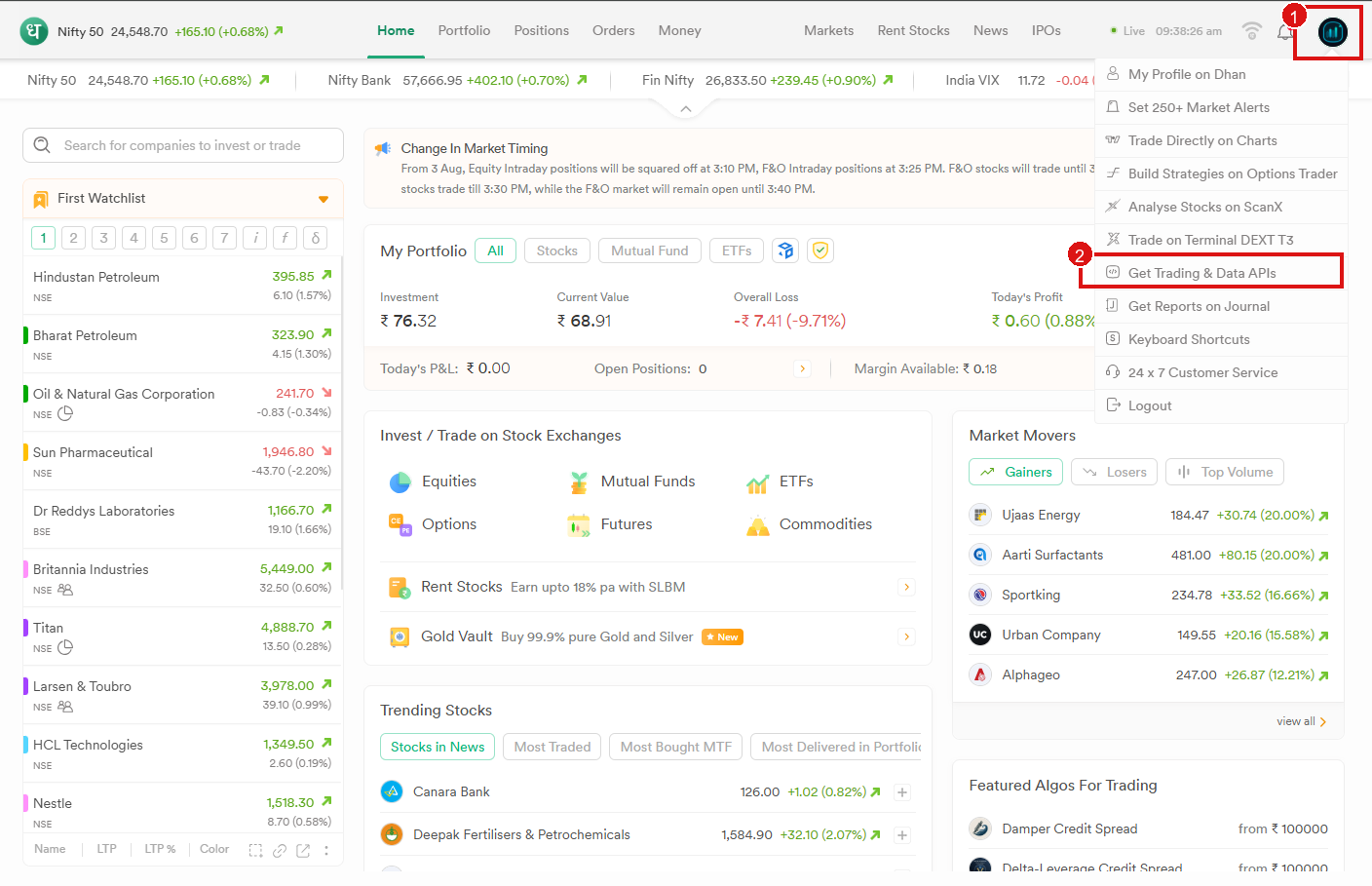
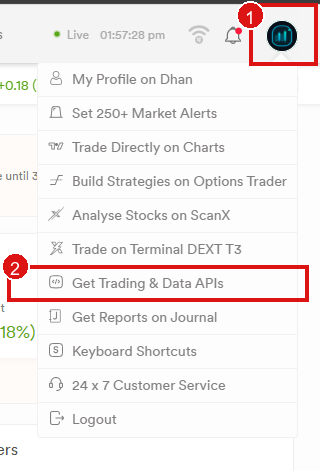
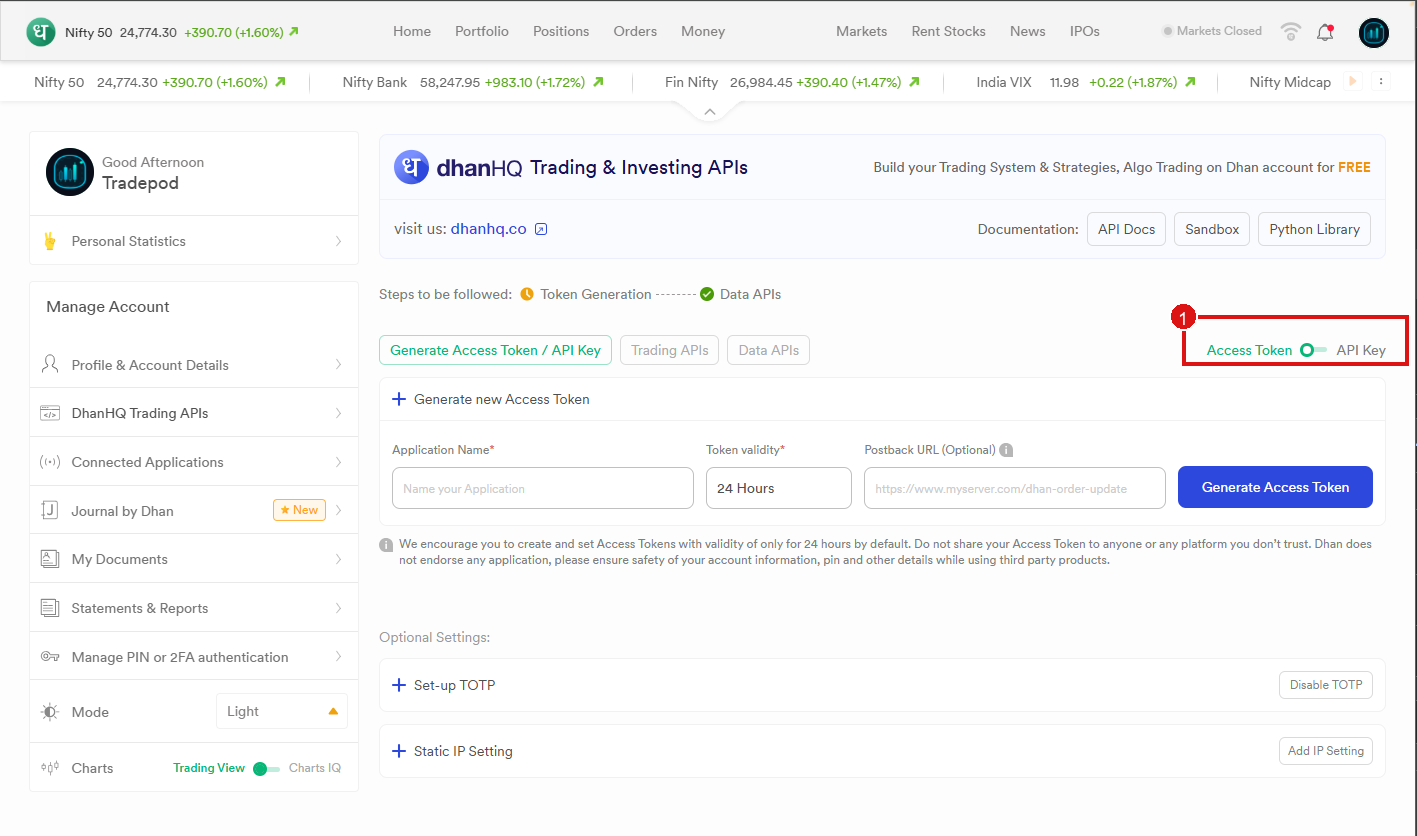
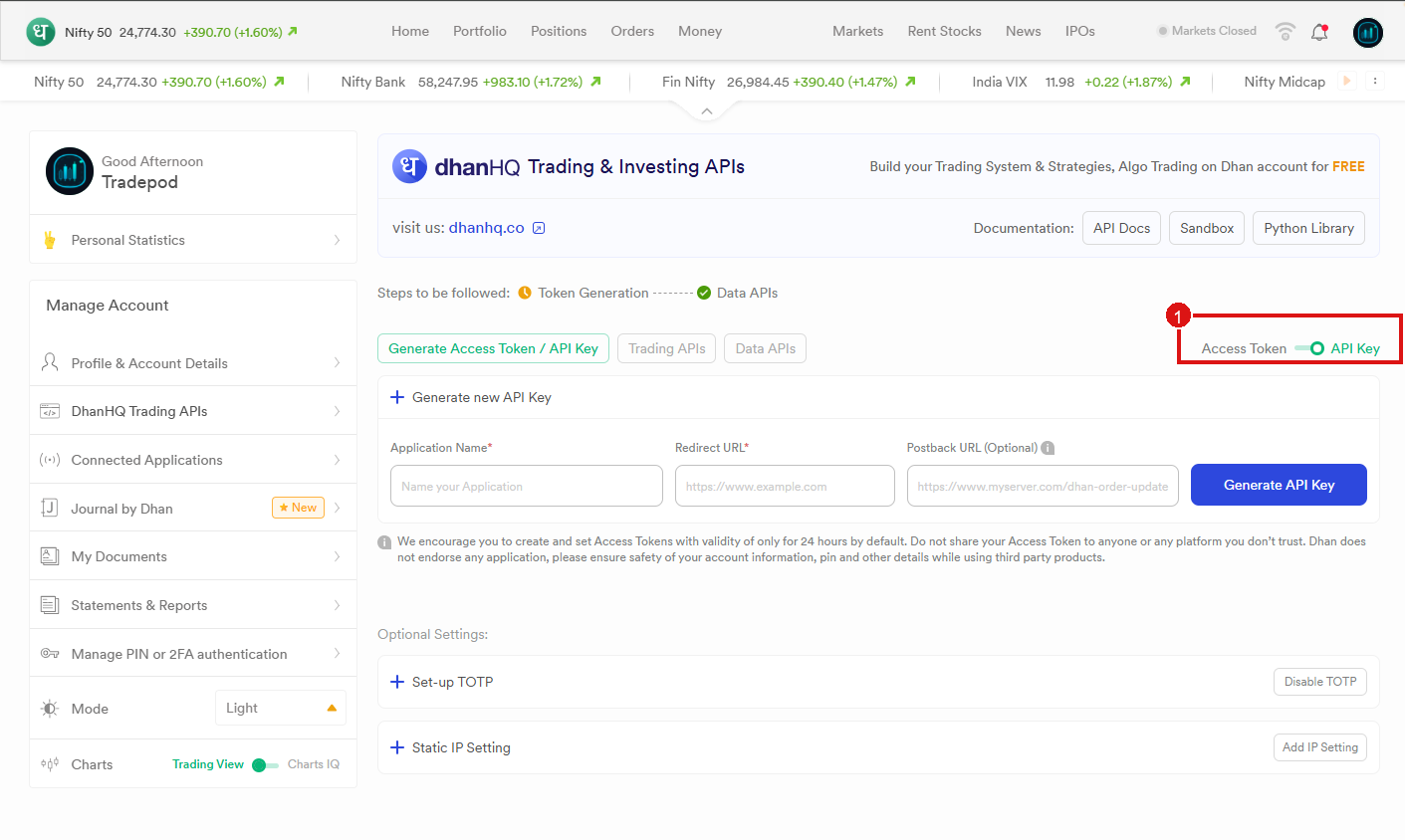
Switch Access Token → API Key
On the Trading APIs page, slide the toggle to API Key (not Access Token).
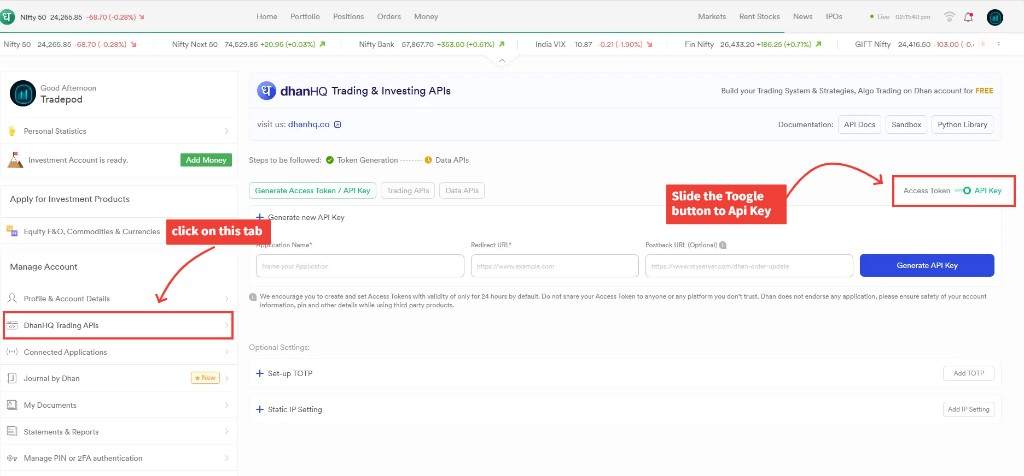
| Wrong — Access Token (left). Expires in ~24 hours. | Correct — API Key (right). Lasts ~12 months. |
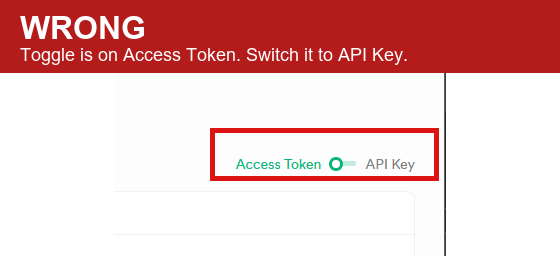

Full page if you need to find the toggle (top right of the API card):
Next: Copy Redirect URL & Postback URL · same toggle detail: Switch to API Key mode