Generate API Key & Secret
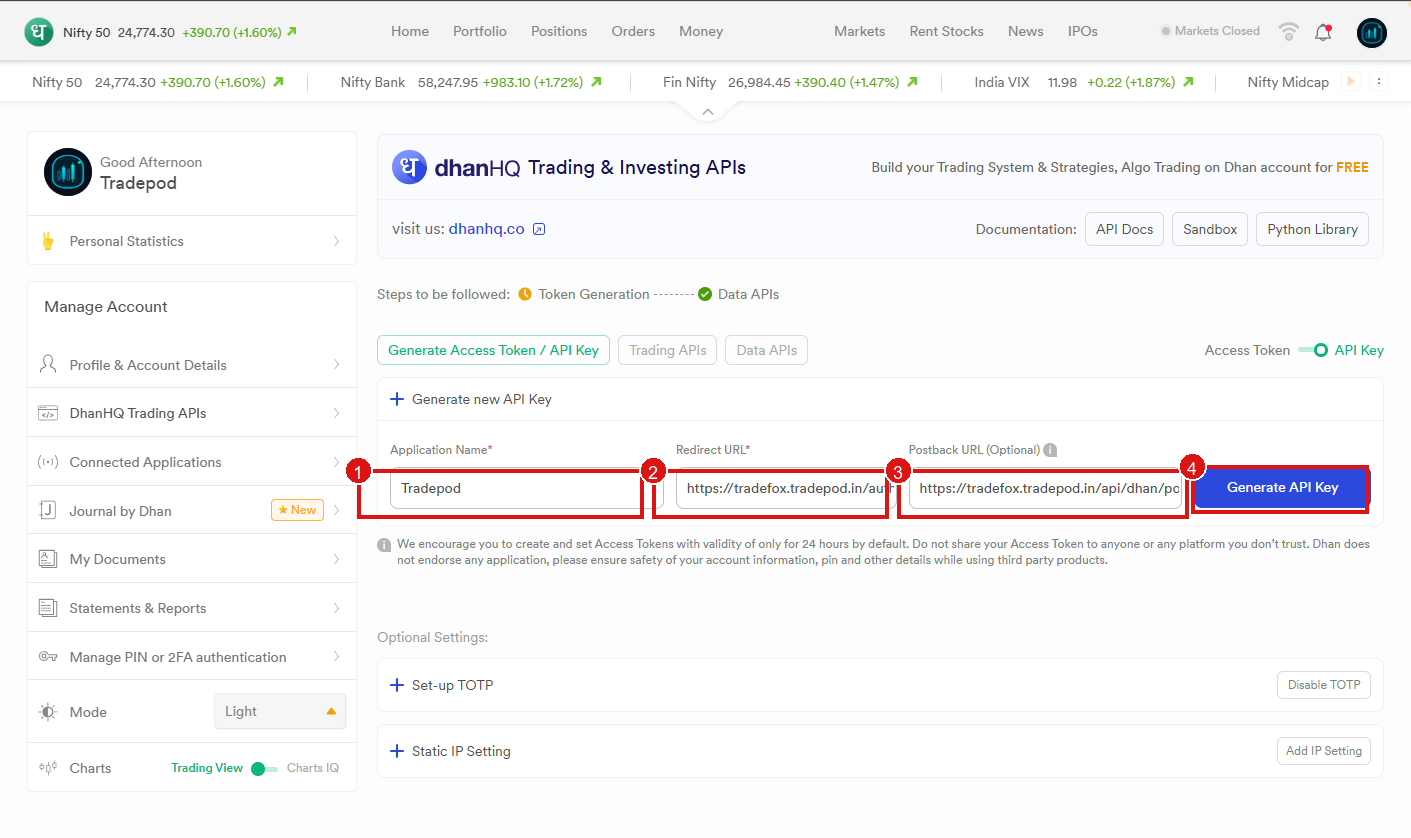
On Dhan → DhanHQ Trading APIs (API Key mode), fill the form with values from TradePod Connect Dhan:
- Application Name —
Tradepod - Redirect URL — paste from Connect Dhan
- Postback URL — paste from Connect Dhan
- Click Generate API Key
Success
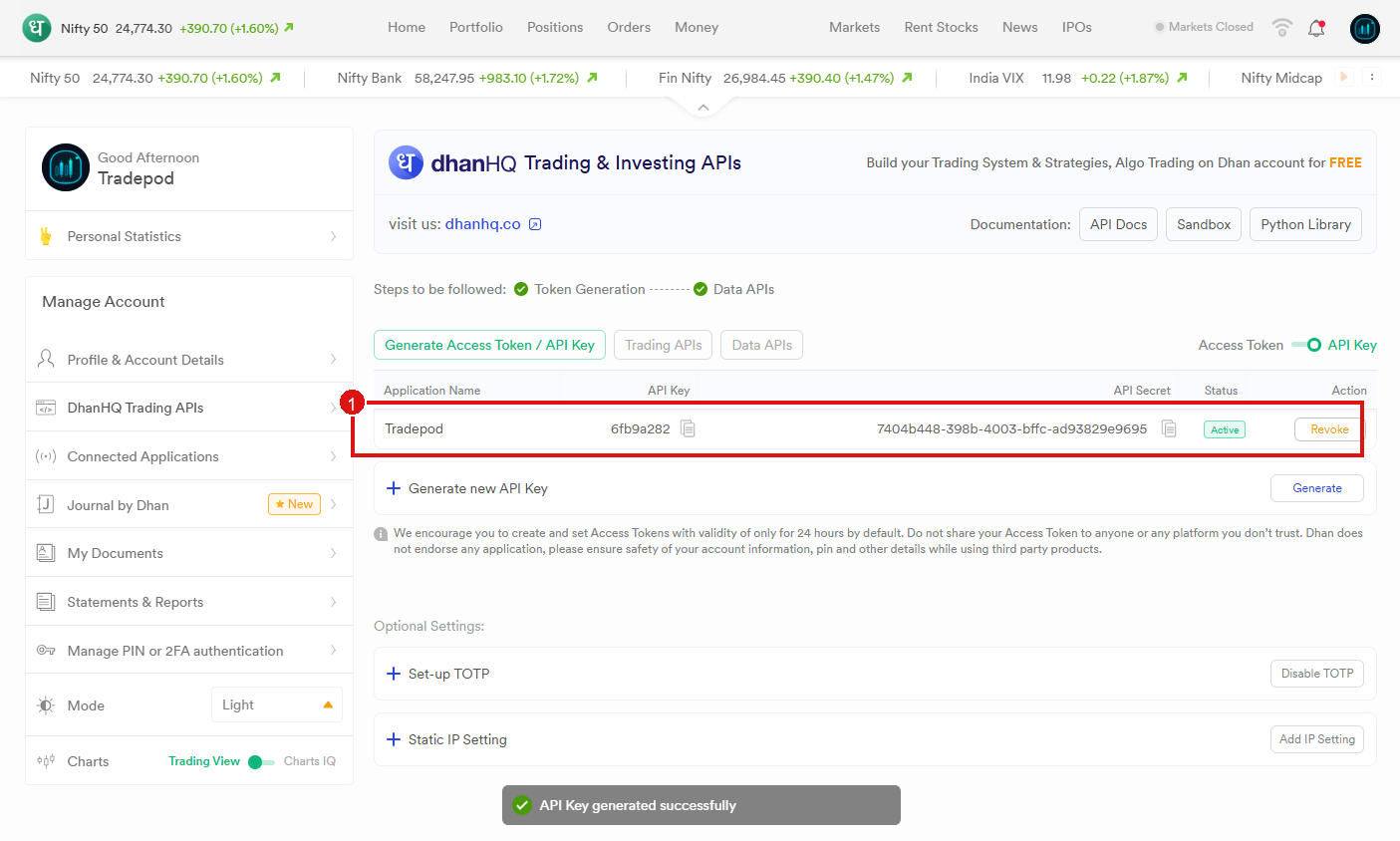
You should see API Key generated successfully. The Tradepod row shows API Key and API Secret as Active.
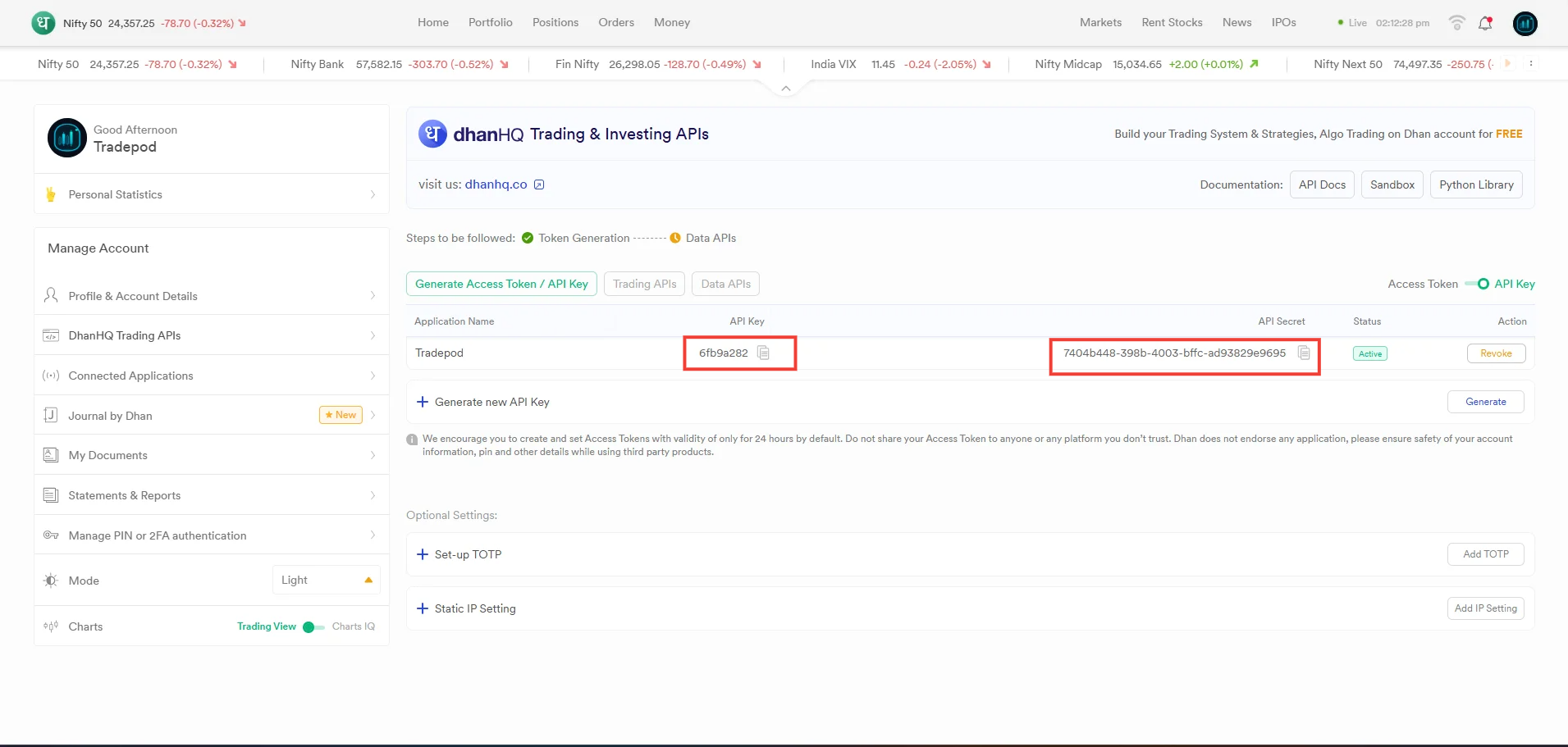
Next: Copy API Key & Secret