Paste credentials in TradePod
Phase 2 · API Keys — Connect Dhan → API Key & Secret.
Paste the three values you collected:
| Field | Source |
|---|---|
| Dhan Client ID | Profile & Account Details → Client ID / UCC |
| API Key | Tradepod row on Trading APIs |
| API Secret | Same Tradepod row |
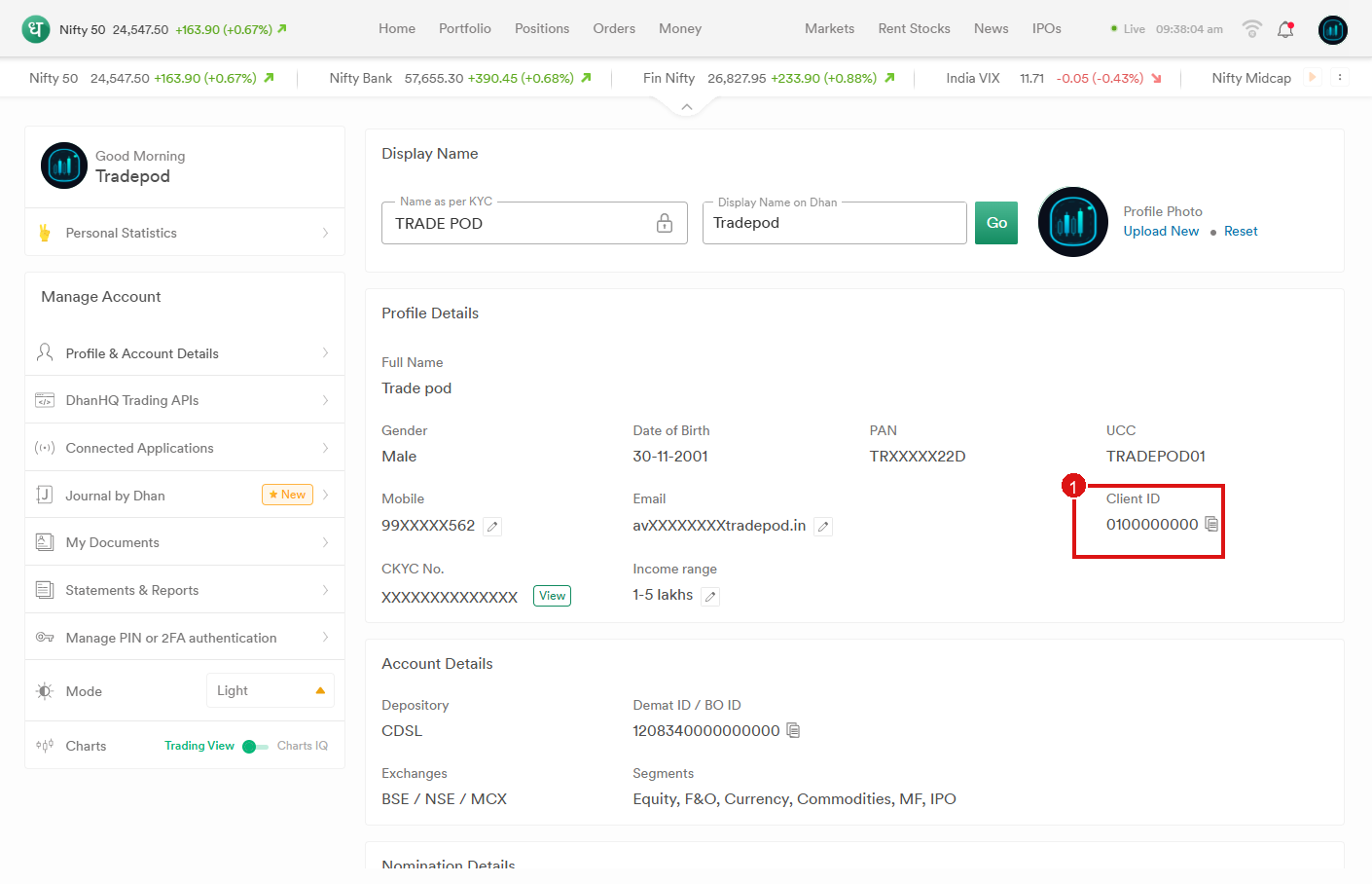
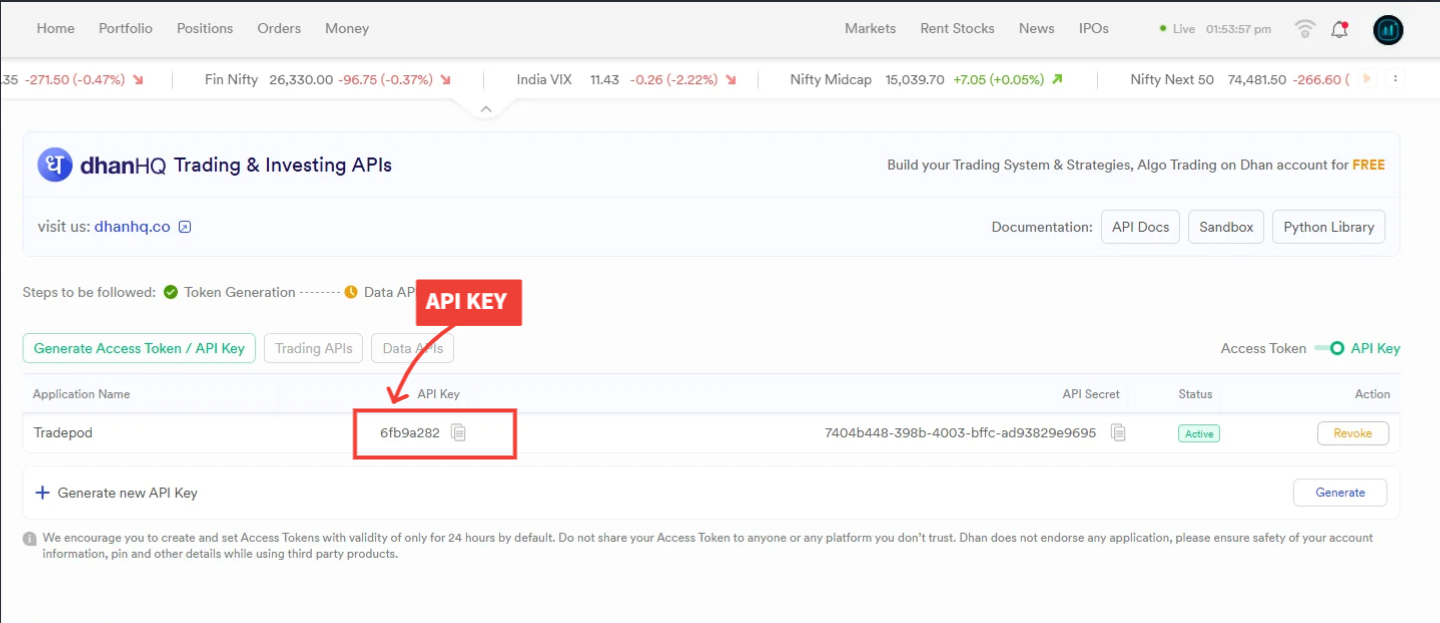
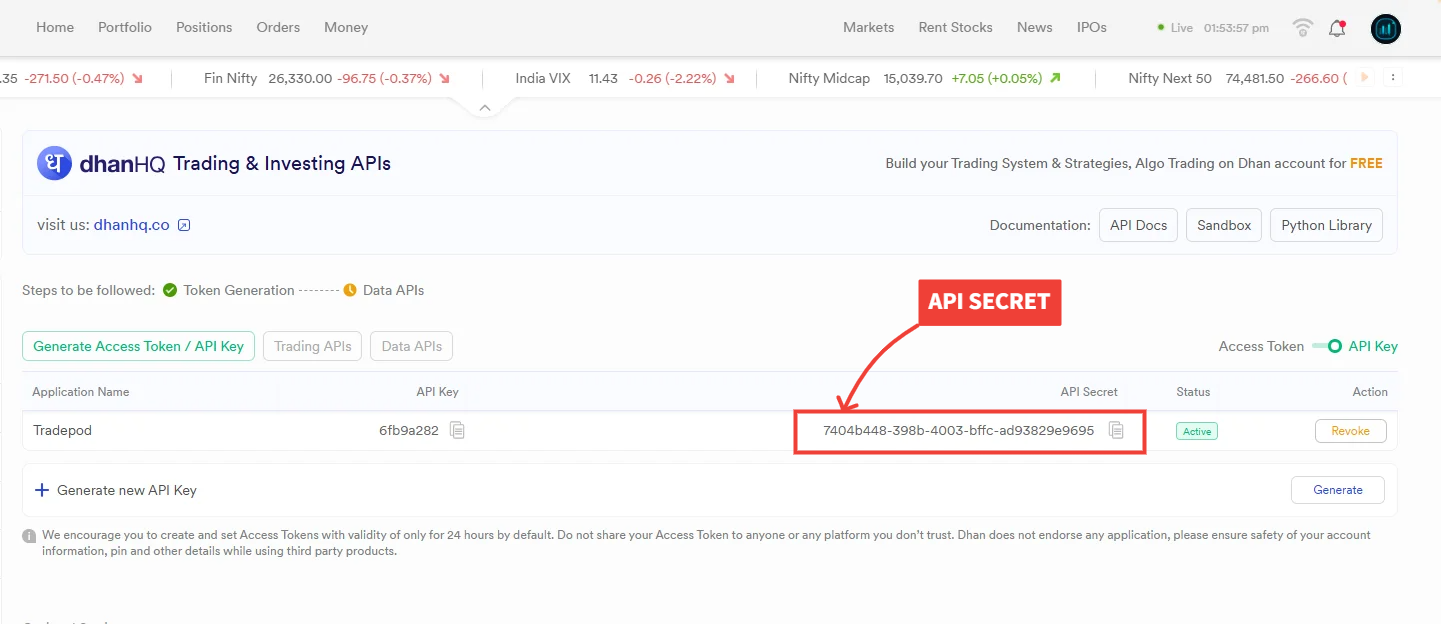
In TradePod:
- Paste Client ID (if not already filled), API Key, and API Secret.
- Click Next (first-time setup continues to Static IP before authorize).
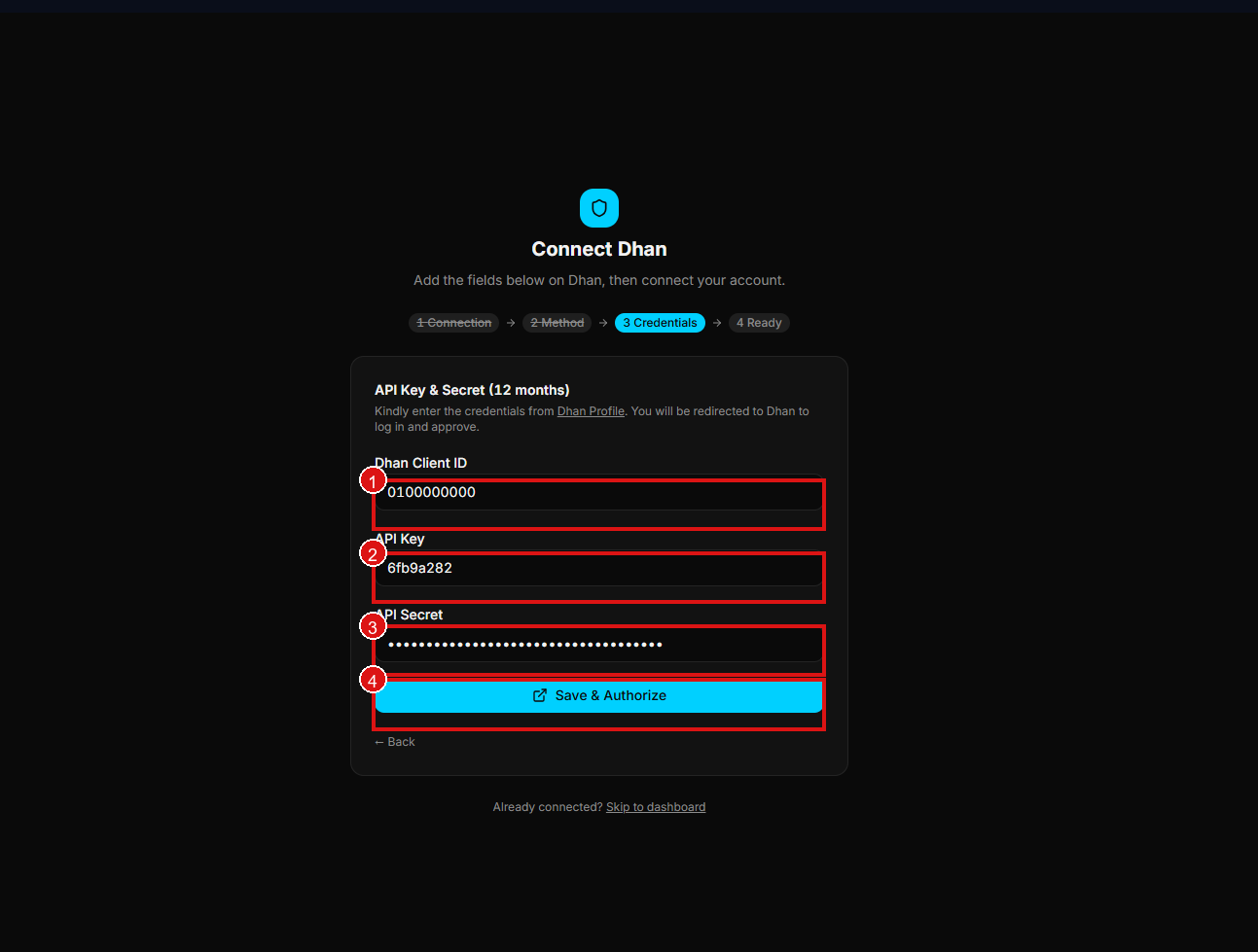
Next: Whitelist Static IP